Most secure remote access software for advanced encryption
Change language:
Sponsored content
In the world of remote access, security is a top priority. Just as a stable and fast connection is essential, strong security measures must also be emphasized.
When reviewing the list of secure remote access software, consider factors such as authentication techniques, connection encryption methods, the security level of the file transfer process, and other protective features. Then, you can choose the option that best suits your needs and budget.
Software such as Splashtop, AnyDesk, and TeamViewer are among the most secure remote access tools. Combining these tools’ advanced features and high-security standards with a reliable and cheap RDP solution can significantly enhance the efficiency and quality of your remote communications.
Key Security Features to Evaluate in RDP Software
To be able to review remote access tools for security, you first need to know what factors to look for:
Authentication mechanisms such as MFA
Encryption methods such as E2E, AES-256, and SSL/TLS
Access Controls
Session Management
Encryption of files during transfer
Compliance customizations
Logging and Monitoring
Regular updates and patch management
Device authentication and trust mechanisms
Secure data backups
Privileged-based restrictions
Encrypted and password-protected screen recording
These features collectively ensure that remote access software protects users and their data.
Top Picks: The Most Secure Remote Access Software for 2025
After buying cheap RDP and using these tools, you can securely connect to your desired remote devices from anywhere, protecting sensitive information and data.
1. Splashtop
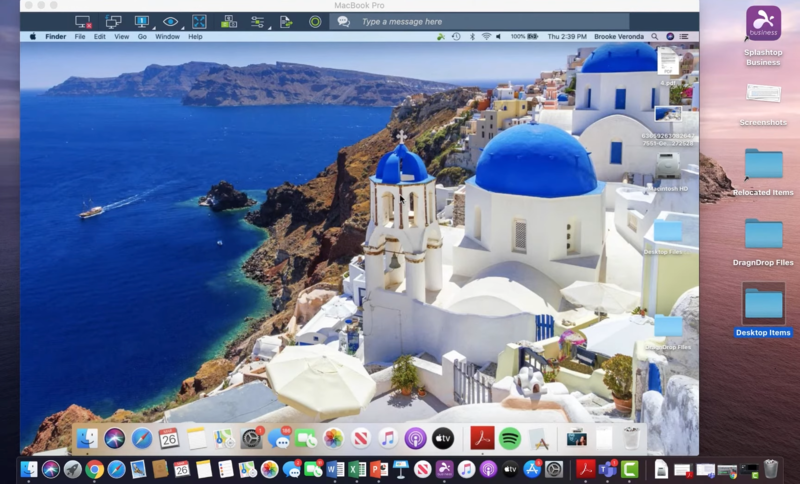
Splashtop is one of the most comprehensive and user-friendly remote access tools offering cross-platform features and services.
The software is supported by highly targeted security programs that, when configured correctly, can improve security to an excellent level.
Splashtop Security Features
Device Verification
Automatic Session Timeout
Secure Streaming Settings
Advanced Password Protection
Remote Access Alerts
Proxy Server Authentication
Two-factor authentication (2FA)
Clipboard Management
Verified Applications
Screen Privacy Mode
Automatic Screen Locking
Remote Printing Restrictions
Access Logs and Session Auditing
Granular Role-Based Access Control
Real-Time Session Monitoring
IP Whitelisting
This tool is available for a fee, but to be sure of your choice, you can test its Free Trial version. Then, if you wish, purchase the paid version.
2. TeamViewer
TeamViewer is another top RDP software with many features. Some of the prominent features include cross-platform compatibility, online chat, support for multiple devices simultaneously, and more. However, in this section, we want to examine this tool’s security features.
TeamViewer Security Features
End-to-End Encryption
Two-factor authentication (2FA)
Granular Access Control
Device Trust Management
AllowList/BlockList
Brute-Force Protection
Session Timeout
Audit Logs
Privacy Screen
Conditional Access
This tool is free for personal use but requires a paid subscription for commercial use or businesses with more extensive needs. The free version has some security and functionality limitations that the paid versions compensate for.
3. AnyDesk
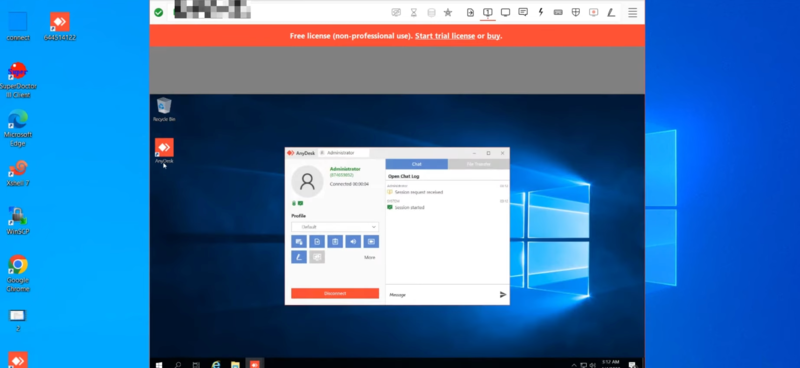
AnyDesk is a helpful tool for checking remote connections to various devices. It has valuable features such as a text chat box, a built-in file manager for file transfers, and a whiteboard.
AnyDesk Security Features
Identity & Access Management (IAM)
Deployment Options
Privacy Mode
SSO (Single Sign-On)
Session Reports
On-Premise Hosting
Access Management
2FA (Two-Factor Authentication)
Interactive Access
Advanced Encryption (TLS 1.2 and RSA 2048 encryption)
This tool is free for personal use but has more limited features. For high-end performance and security, trying the paid versions of AnyDesk as one of the best RDP tools is ideal.
4. LogMeIn Pro
LogMeIn Pro is one of the most popular remote access software. Its features, such as multi-monitor support, unlimited users, and remote printing, make it ideal for large businesses.
LogMeIn Pro Security Features
SSL/TLS Encryption
Multi-Factor Authentication
Intrusion Resistance
Auditing & Logging
Session Recording
Access Control
Real-Time Protection
Password Generator
Emergency Access for Grant trusted contacts
This tool is offered for a fee, but to make sure of your choice, you can try its Free Trial version for 14 days and then decide. If you need a powerful RDP server but find paid tools like LogMeIn Pro too expensive, you can compensate for this by opting to buy cheap RDP solution.
5. Zoho Assist
Zoho Assist is a versatile tool with remote connectivity as just one of its features. This tool allows you to access any device and simplifies your workflow processes with its specialized capabilities.
Zoho Assist Security Features
Multi-factor authentication with SMS and time-based OTP
Firewall Friendly
SSL & 256-bit AES Encryption
Antivirus Compatibility
Inactive Session Timeout
Data Anonymization
Session Confirmation
GDPR Compliance
Action Log Viewer
This tool is available in free and paid versions. The free version is limited in functionality and security. If you want more security, you should get the paid version. You can try the 15-day free trial to make your choice.
6. Chrome Remote Desktop
Chrome Remote Desktop is one of the best remote connection extensions that supports any device running Google Chrome.
Although this tool’s security and features are more limited than other paid tools, its free nature makes it an excellent option for personal use.
Chrome Remote Desktop Security Features
Strong Password & 2-Step Verification
Long PIN
VPN & Antivirus
Network Level Authentication (NLA)
Firewall Exceptions
Encryption Data
Session Logging
This tool provides ideal security for free personal use. So, if you don’t need advanced security features, you can still establish secure and cheap RDP connections with this extension.
7. HelpWire
HelpWire is free remote desktop software that provides users with fast and secure cross-platform connectivity. This tool is ideal for saving space and money.
HelpWire Security Features
Trusted Authentication
Uses Auth0 for secure authentication trusted by major companies like Microsoft and AWS.
Secure Data Transfer using WSS and HTTPS protocols
TLS/SSL and AES-256 Encryption
Firewall-Friendly
Secure Data Centers
Digitally Signed Applications
Permission-Based Access
This tool’s security and functional features are free, so you can start using it without any cost.
8. Remote Desktop Manager
Remote Desktop Manager is a powerful and scalable solution that easily meets the needs of large businesses. Its features and security features are designed to make remote connections smooth and risk-free.
Remote Desktop Manager Security Features
Data Encryption with XChaCha20Poly1305 and AES algorithms
Secure Data Transfer
RBAC, password protection, and two-factor authentication
Offline Protection
Granular Permissions
Audit Trails
Security Providers
Group Policies
Of course, the free version of this tool has limited features. To access security features such as a password manager and role-based access control, you must purchase the paid version.
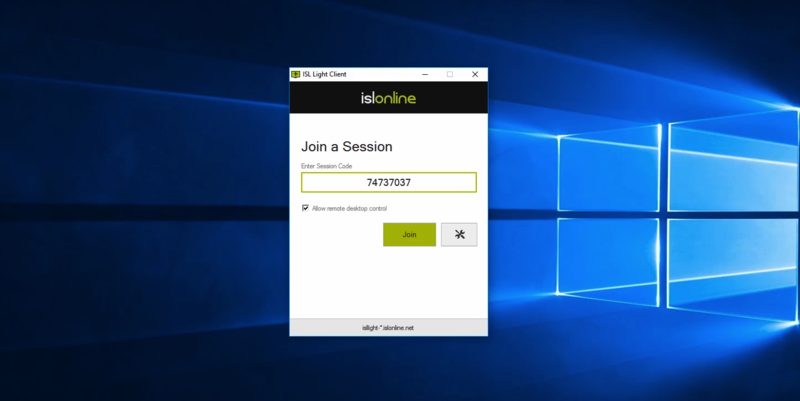
9. ISL Online
ISL Online is a secure and reliable remote desktop application that connects you safely to devices you cannot access in person.
ISL Online Security Features
End-to-end encryption with RSA 2048/4096-bit and ECDSA P-256 keys
Diffie-Hellman Key Exchange
Code Signing
Brute Force Intrusion Protection
Two-factor authentication (2FA)
Customizable Password Policies
Session Encryption with AES 256-bit
Logs and Auditing
Single Sign-On (SSO)
Role-Based Access Control
Customer Protection System (CPS)
IP Whitelisting
Port Filtering
Reverse Proxy Support
Incident Management System (IMS)
Intranet (LAN-only) Configuration
This tool has various paid versions, each with unique features. To ensure your purchase, you can try the 15-day free trial and then decide.
10. ManageEngine Remote Access Plus
ManageEngine Remote Access Plus is a secure remote desktop software that not only complies with regulatory standards but also provides administrators with a centralized dashboard to monitor managed endpoints.
Remote Access Plus Security Features
Advanced Control
Secure File Transfer
Two-factor authentication (2FA)
MFA (multi-factor authentication)
SSO (single sign-on)
SAML (security assertion markup language)
Privileged-based restrictions
Role-Based Access Control
Encrypted and Password-Protected Screen Recording
Secure Gateway Server
Compliance Customizations
Session Timeout and Monitoring
This tool is available for a fee, but you can try its 30-day free version to make your own decision. During this trial, you can also compare its performance and features with a cheap RDP to determine the best option for your remote access needs.
11. Remotly
Remotly is a secure remote access software with high-quality connections for both work and gaming. Businesses can set up servers for added security and manage users through an admin panel.
ISL Online Security Features
AES-256 Encryption
Invisible User ID
2-step device authorization
Connection Encryption using AES
Permission Management
Setup Private Infrastructure
No third-party access
Admin Mode
Customizable security
This tool has a free version suitable for personal use, but opting for the paid version to access advanced security features and capabilities is better.
Benefits Of Using Secure Remote Access Solutions
A secure remote access software can provide the following benefits to your remote connections:
Access to systems and data anytime, anywhere
Communicate more effectively with remote colleagues
Perform better remote management tasks
Restrict access levels for different users
Stay safe from threats and attacks
Protect privacy
Increase work productivity
Fast and effective support
Reduce costs
So, it’s time to consider your needs and budget and examine each tool’s features to choose the ideal option for advancing your work. A reliable and secure RDP can minimize the time and energy required to access personal and corporate systems/servers. This way, you can focus on your primary goals.
Conclusion
To ensure secure remote access, it’s crucial to choose software that provides strong encryption, robust authentication mechanisms, and effective session management.
Tools like Splashtop, TeamViewer, and AnyDesk are among the most reliable for safeguarding your connections with advanced security features.
Evaluating your needs and budget will help you select the best solution for maintaining performance and security in your remote operations.
Disclaimer: the author(s) of the sponsored article(s) are solely responsible for any opinions expressed or offers made. These opinions do not necessarily reflect the official position of Daily News Hungary, and the editorial staff cannot be held responsible for their veracity.